





And open your openoffice word processor, create new file.
in menu tab, select insert - picture - from file (select one from download above).
next step, right click in picture you insert, see picture below.
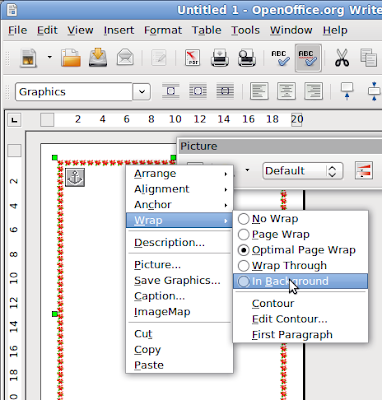
select Wrap - In Background.
download all frame here :
http://sites.google.com/site/retnetnganjukblog/framei-cafe.zip


his is a great article, I have been always to read something with specific tips! I will have to work on the time for scheduling my learning.
ReplyDeleteBilling Software in chennai